How to Create an Email Campaign in Klaviyo
TL;DR: How to create an email campaign in Klaviyo
- Build it: Campaigns > Create campaign > Email. Name it with your convention, pick a segment rather than a list, set exclusions, leave smart sending on, then build, test and schedule.
- Often the audience decides the outcome. Most underperforming campaigns are audience mistakes made before anyone opened the editor. Exclude recent purchasers, anyone in an active flow, and anyone past your engagement threshold.
- Run the pre-send check in order. Audience errors first, content second, technical third. Sixteen items we recommend checking on..
- Test one variable at a time, on a segment large enough to support a conclusion. Below 1,000 recipients, ship the better version and skip the split.
- Judge it on revenue per recipient and click rate, not opens. Apple pre-fetching makes open rate describe Apple’s behaviour rather than your customers’.
In Klaviyo, a campaign is a one-time send to an audience you choose. A flow is automated and triggered by behaviour. Both leverage the same profile data, and both compete for the same customer attention.
This guide covers how to build a campaign, then the important decisions that determine whether the campaign performs: audience set up, exclusions, send timing, QA and how to read the result. It assumes you already run Klaviyo.
Who we are
We are one of only 40 Klaviyo Elite Agencies, and since 2019 we have run retention programmes for 300+ brands including Hydro Flask, Osprey, AG1 and One Glove.
Before building: what the campaign is for?
At UndergroundEcom, we like to separate campaigns into three main types. Each has different audiences, and different success metrics.
- Revenue campaigns. Promotions, launches, sale windows. Success is revenue per recipient. Audience is your engaged pool, plus any high-intent segment relevant to the offer.
- Engagement campaigns. Content, education, brand. Success is click rate and the effect on subsequent revenue sends.
- Announcements. Shipping deadlines, policy changes, restocks. Success is whether the people who needed the information received it. Audience is defined by relevance, not engagement.
A lot of underperforming campaigns are audience mistakes, which are made before send. Deciding which of the three you are sending determines the audience, and the audience determines most of the outcome.
How to create an email campaign in Klaviyo, step by step
Worked example: a product launch to an engaged segment.
- Create the campaign.
Campaigns > Create campaign > Email.

Select Email
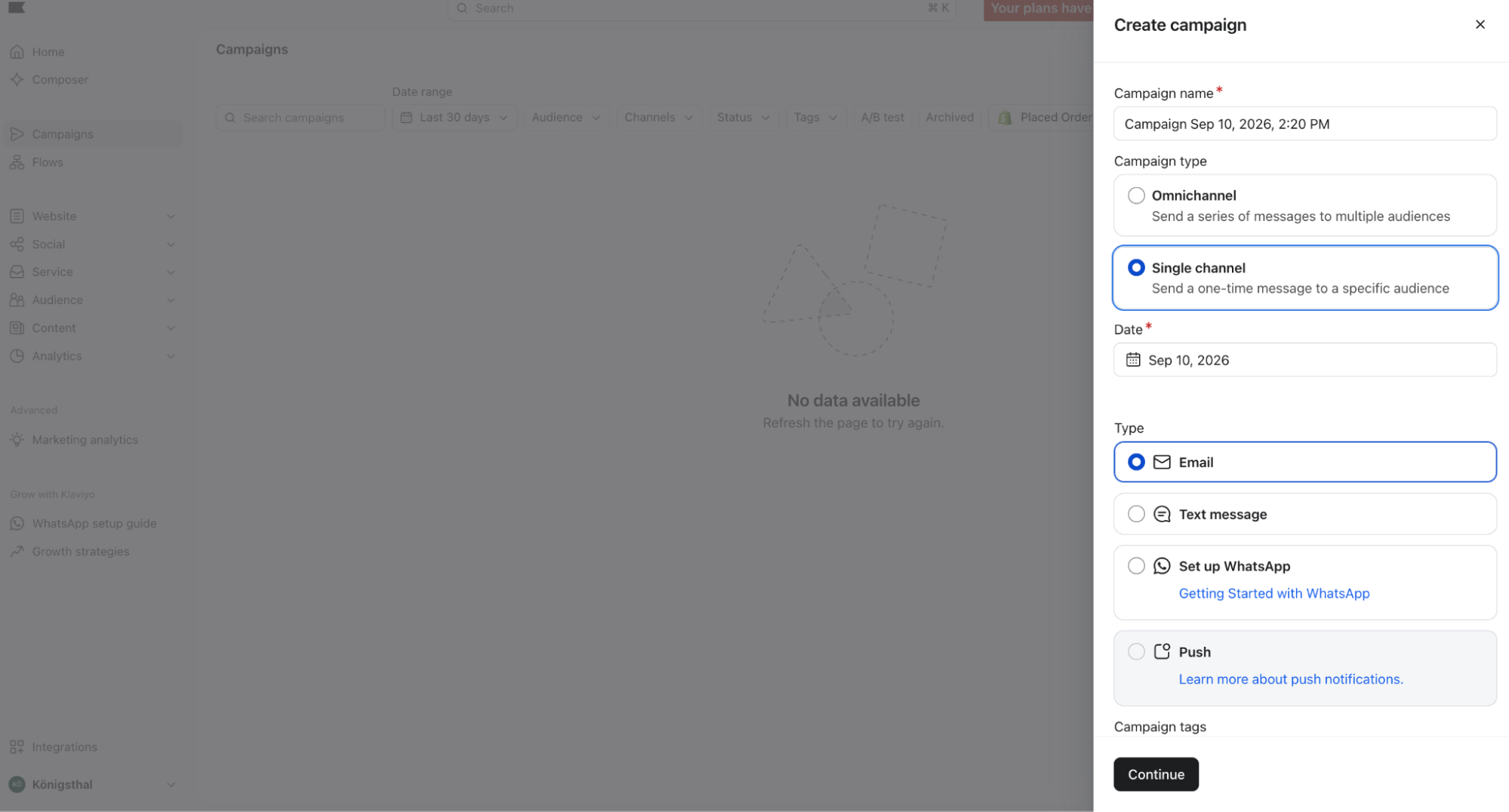
- Name it with your convention.
UE | Launch | Oct 2026. Apply it now. Campaign names are what you filter reporting by, and an account of untitled campaigns makes it much harder to be analysed.
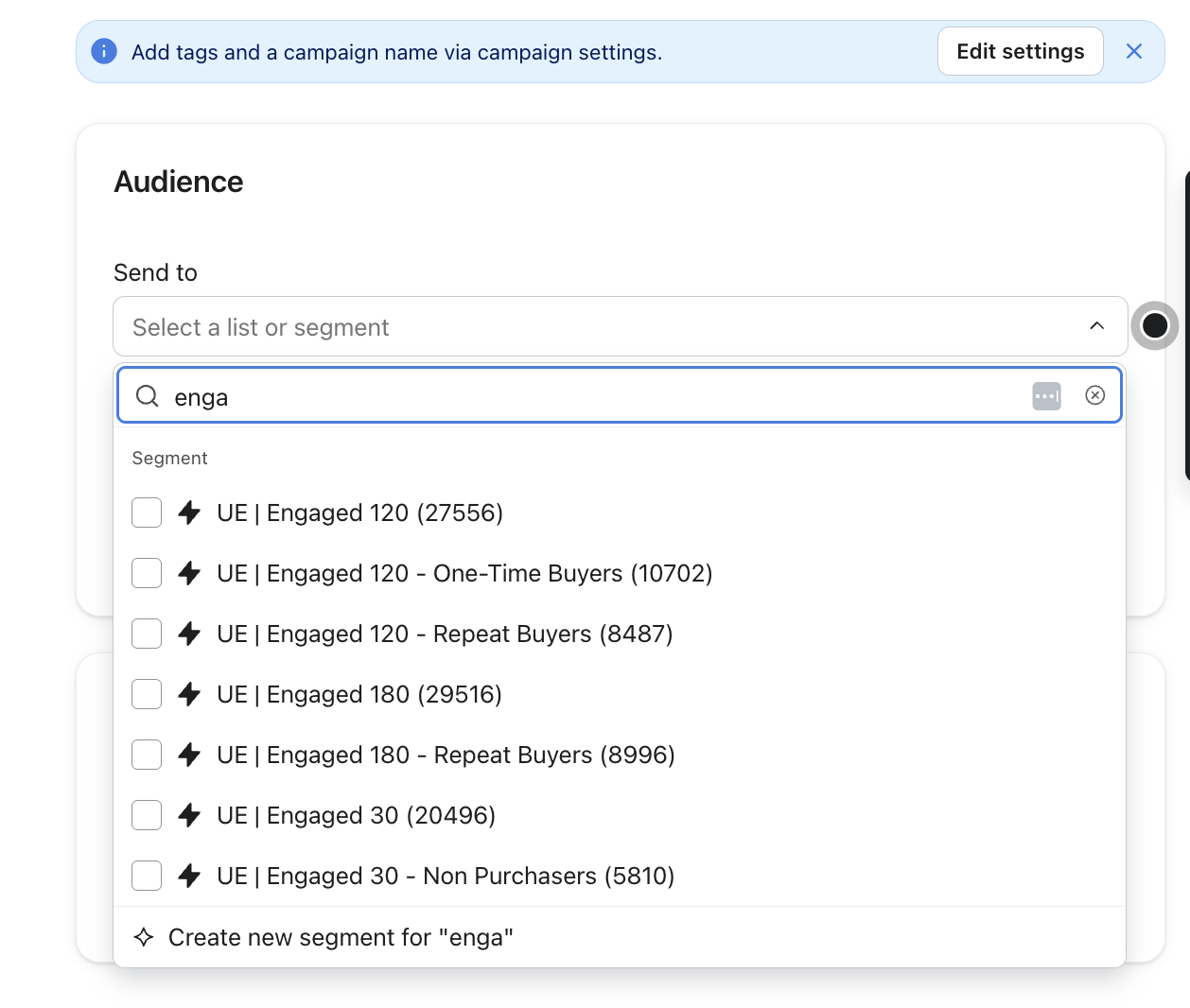
- Choose the audience.
Select a segment, not a list. Lists are static membership and consent records; segments are live queries. Sending to the master list means sending to everyone who ever subscribed, including the people whose non-engagement is damaging your deliverability.
- Set exclusions.
Add recent purchasers, anyone currently in an active flow, and any segment the campaign is not intended for. Exclusions are a separate field from the audience and they are frequently left empty.
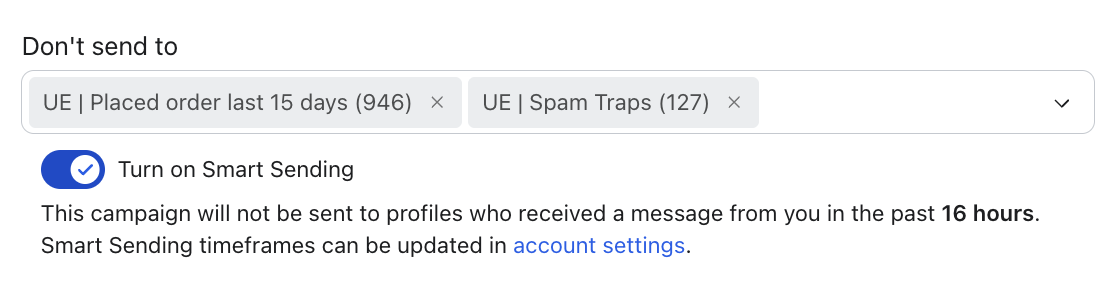
- Check smart sending.
Smart sending sets a minimum gap between messages to the same profile. Leave it on. Turning it off is a deliberate decision for a specific send, not a default to ignore.
- Set the sender profile and reply-to.
Use a monitored reply-to address. Replies are an engagement signal to mailbox providers, and a no-reply address discards them.
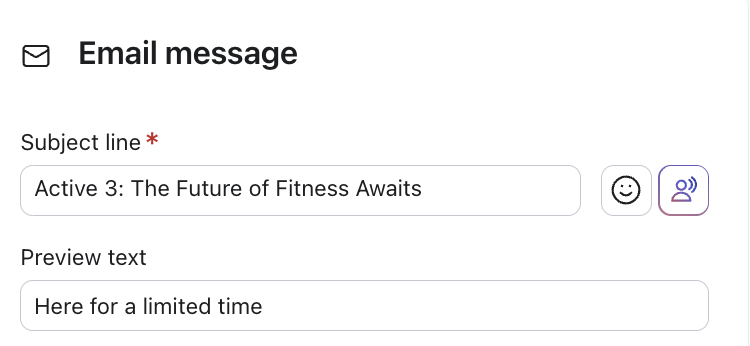
- Write the subject line and preview text.
Preview text is a second line of copy, not a repeat of the subject. Left empty, the client pulls the first text in the email, which is usually a view-in-browser link.
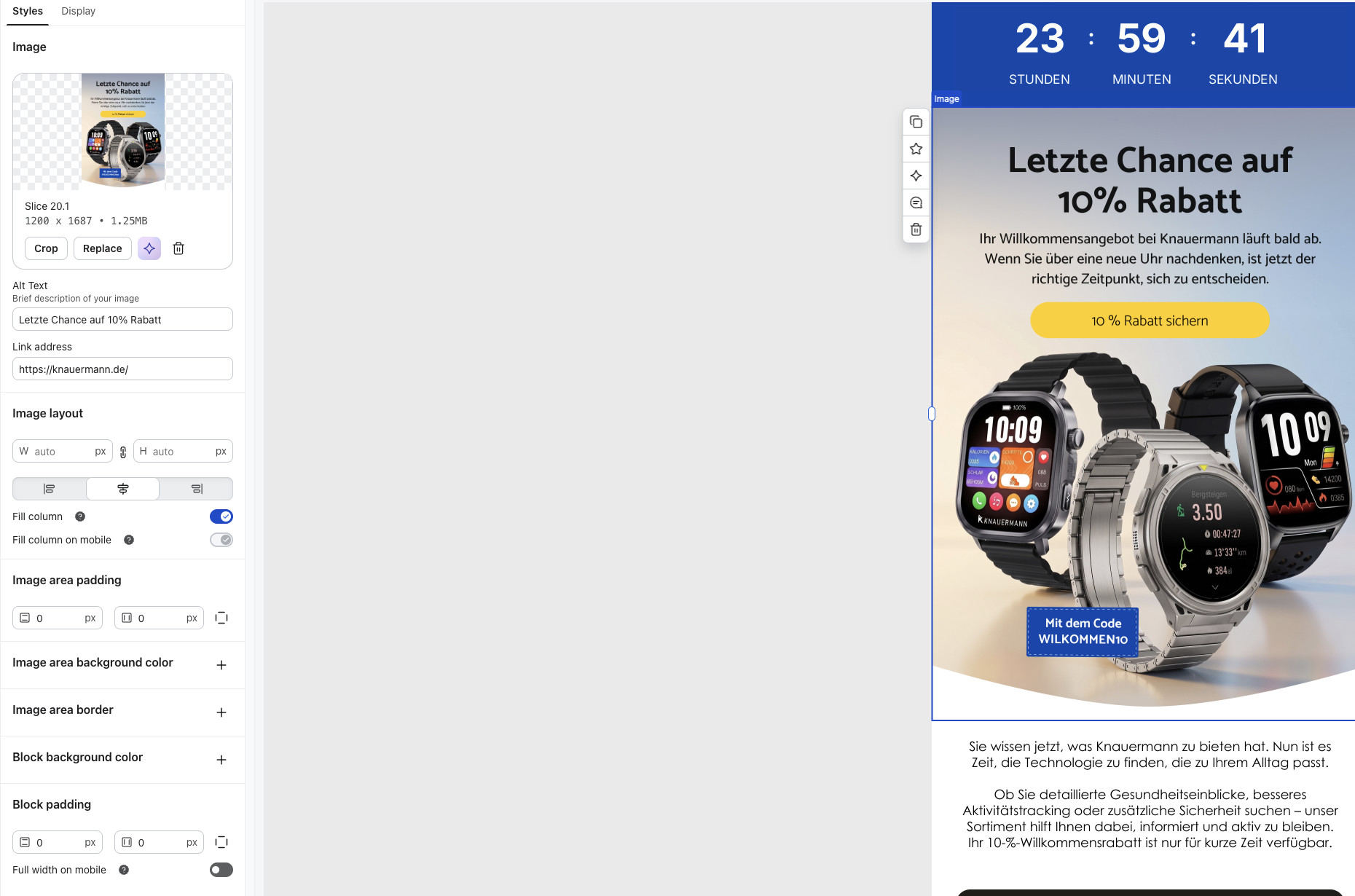
- Build the content.
Template, blocks, dynamic content. Every dynamic block needs a fallback for profiles missing the property.
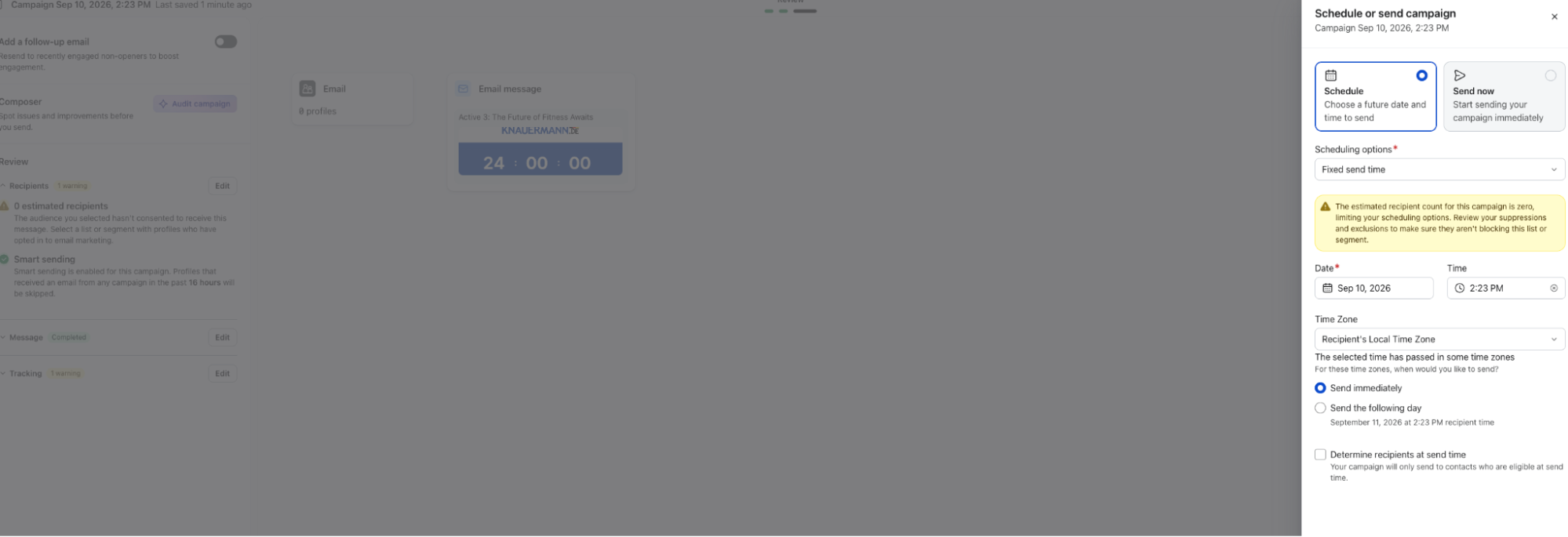
- Set the send time.
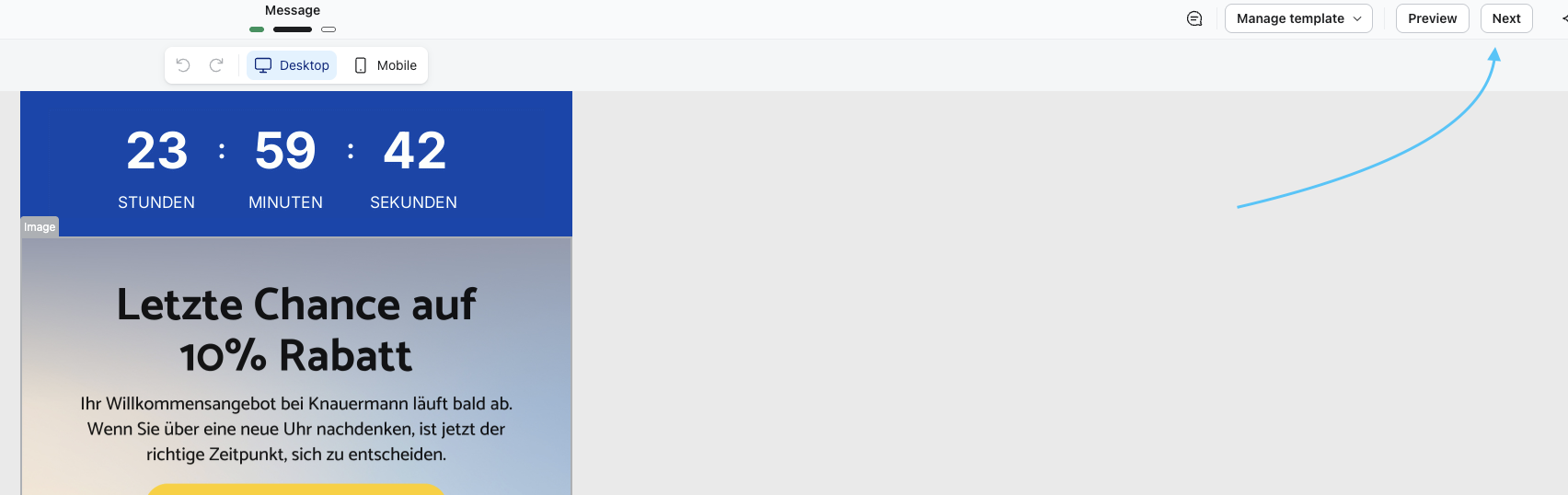
- Preview and test.
Send a test to yourself and to at least one other client. Check every link, check the merge tags against a profile missing the property, and view it with images disabled.
- Schedule or send.
The UE pre-send check
| # | Stage | Check | Why it is on the list |
| 1 | Audience | Audience is a segment, not a list | Lists are static membership. Sending to one reaches everyone who ever subscribed |
| 2 | Audience | Engagement window matches the campaign type | A launch justifies going wider. A routine promo does not |
| 3 | Audience | Recent purchasers excluded | Nobody wants a discount code the day after paying full price |
| 4 | Audience | Anyone in an active flow excluded | Stops the campaign landing on top of an abandonment sequence |
| 5 | Audience | Smart sending on, or off for a stated reason | Usually switched off for one urgent send and never switched back |
| 6 | Content | Subject line and preview text say different things | Left empty, the client pulls the view-in-browser link |
| 7 | Content | Every dynamic block has a fallback | Empty merge tags are the most visible failure in email |
| 8 | Content | Offer, dates and prices match what is live on site | The email and the site are two teams and one customer |
| 9 | Content | Discount code tested on a real cart | Codes fail on collection restrictions, minimum spend and expiry |
| 10 | Technical | Every link clicked, including footer and logo | A broken link in a launch costs the launch |
| 11 | Technical | UTMs present and correctly formed | Without them the campaign is invisible in GA4 |
| 12 | Technical | Merge tags checked against a profile missing the property | If first name is empty, the email should not open with “Hi ,” |
| 13 | Technical | Rendered with images disabled | If the email is one image, it is blank for a large share of recipients |
| 14 | Technical | Plain text version read end to end | It sends regardless, and nobody has looked at it |
| 15 | Before scheduling | Send time set for the recipient’s time zone | A 9am UK send reaches Australia overnight |
| 16 | Before scheduling | Someone other than the builder has previewed it | The person who built it cannot see it any more |
Where to find campaign inspiration
Not sure where to start? Three sources worth having open when you plan a calendar:
Really Good Emails is the deepest library. Thousands of emails are filterable by category or keyword, so you can pull every abandoned cart or every launch email in one view and see how the same job is handled across dozens of brands. Best for structure and layout decisions. inboxarmy
Email Love curates rather than collects. An inspiration gallery, blog, newsletter and Figma plugin, with a brand filter that makes sector-specific browsing quick. Best when you need design direction rather than volume. gumroad
Milled archives what brands are actually sending right now. Browse recent promotional emails by brand or keyword, and follow specific brands. Best for competitive research and for seeing how the category is pricing a promotion before you set yours. klaviyo
What are send time and smart sending?
These terms are often confused when talking about email campaigns.
What is Smart sending?
Smart Sending is a function introduced to protect against the overlap problem. It holds a campaign back from anyone who received a message inside the window, which stops a campaign colliding with a flow. Set the window deliberately rather than accepting the default.
What is Send time optimization?
Send time optimization uses per-profile engagement history to pick delivery time. It needs enough send history per profile to be meaningful, so on a young account or a low-frequency sender it is guessing.
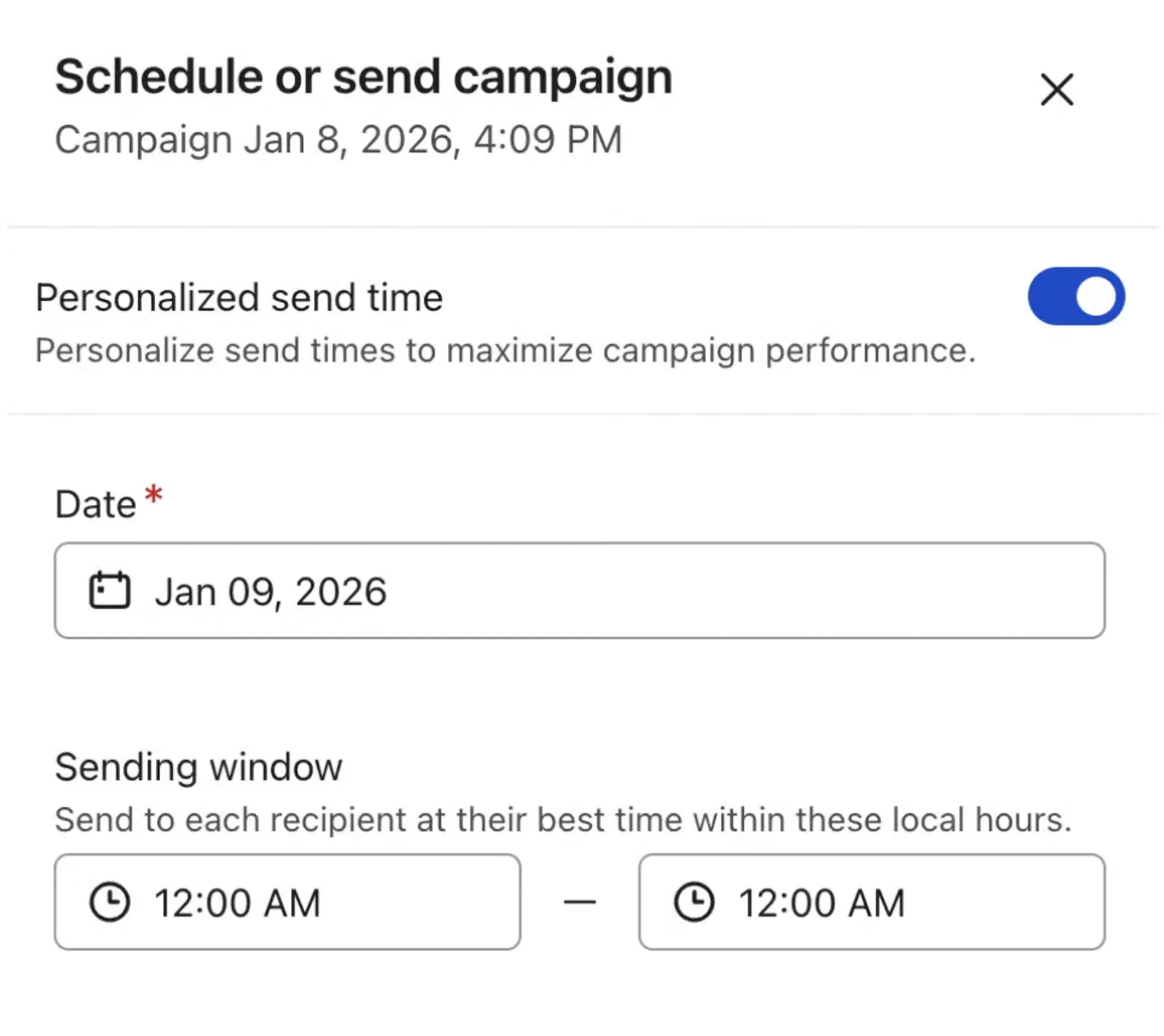
Time zone sending matters for international lists. A 9am send to a UK-based list reaches Australian subscribers overnight.
How we treat these two at UndergroundEcom:
By default, we use Smart Sending. We really want to avoid unsubscribes caused by having received a campaign right after a flow. Exceptions include transactional messages that we need every recipient to read, such as shipment delays, or other logistical issues.
We love the Send Time Optimization and personalized sending feature, as we’ve seen increasing significantly relevance, and engagement.
A/B testing
At UndergroundEcom, we believe in the power of testing within email campaigns. However, we see a lot of people doing it wrong. AB testing add more complexity to your program, so we really like to plan to test things that really move the needle. Here is our logic when AB testing:
- Only test on segment that are large enough. At 3,000 recipients split two ways, a 2% gap in click rate can be attributed to chance. Aim to 10k on a campaign send, and focus only on very significant results
- Test one variable. Subject line, send time, or offer framing. Testing two at once tells you something changed and not what.
Which tests we recommend running:
| Test | What you change |
| Subject line angle | Benefit against curiosity against urgency |
| Offer framing | Percentage off against amount off against free shipping |
| Sender name | Brand name against a person at the brand |
| Send time | Morning against evening on the same day |
| Single CTA against multiple | One offer and one button against a full product grid |
| Discount against no discount | The same campaign with and without a code |
Which tests we stopped running
| Test | Why we stopped |
| Button colour | The effect size is smaller than the noise at DTC list sizes. Any winner is a coin flip reported as a finding |
| Emoji in the subject line | Results never repeated. A winner one week reversed the next, which means it was measuring the campaign, not the emoji |
| Preview text micro-copy | Real differences exist but sit below the detection threshold on a normal segment |
| Single-word subject line edits | Too small to detect. Test the angle instead of the wording |
| Anything on a segment under 1000 recipients | The audience cannot support a conclusion. We ship the better version and skip the split |
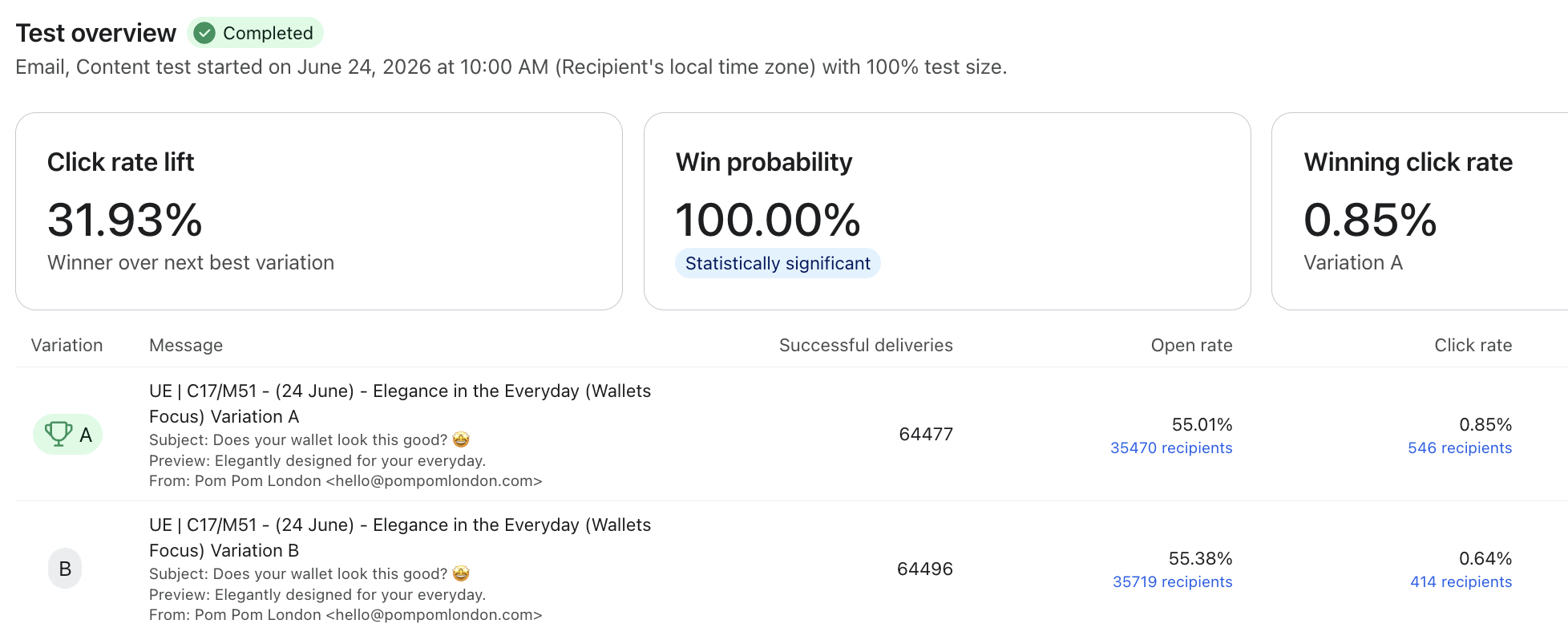
Look at this test we ran for our partner Pom Pom London. Testing lifestyle vs product shot in the hero, highlighted that the product shot is more effective and drove significantly more clicks
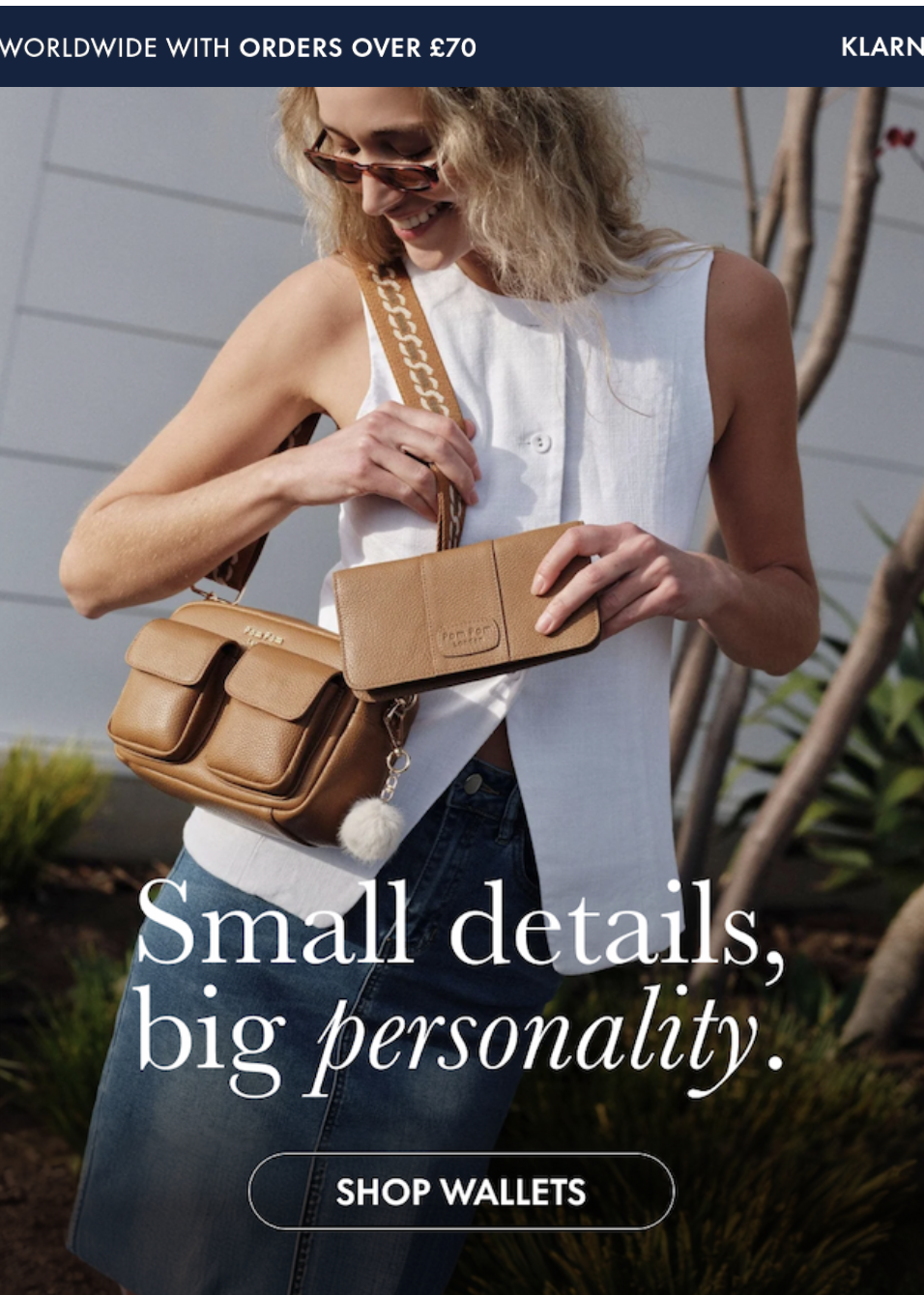
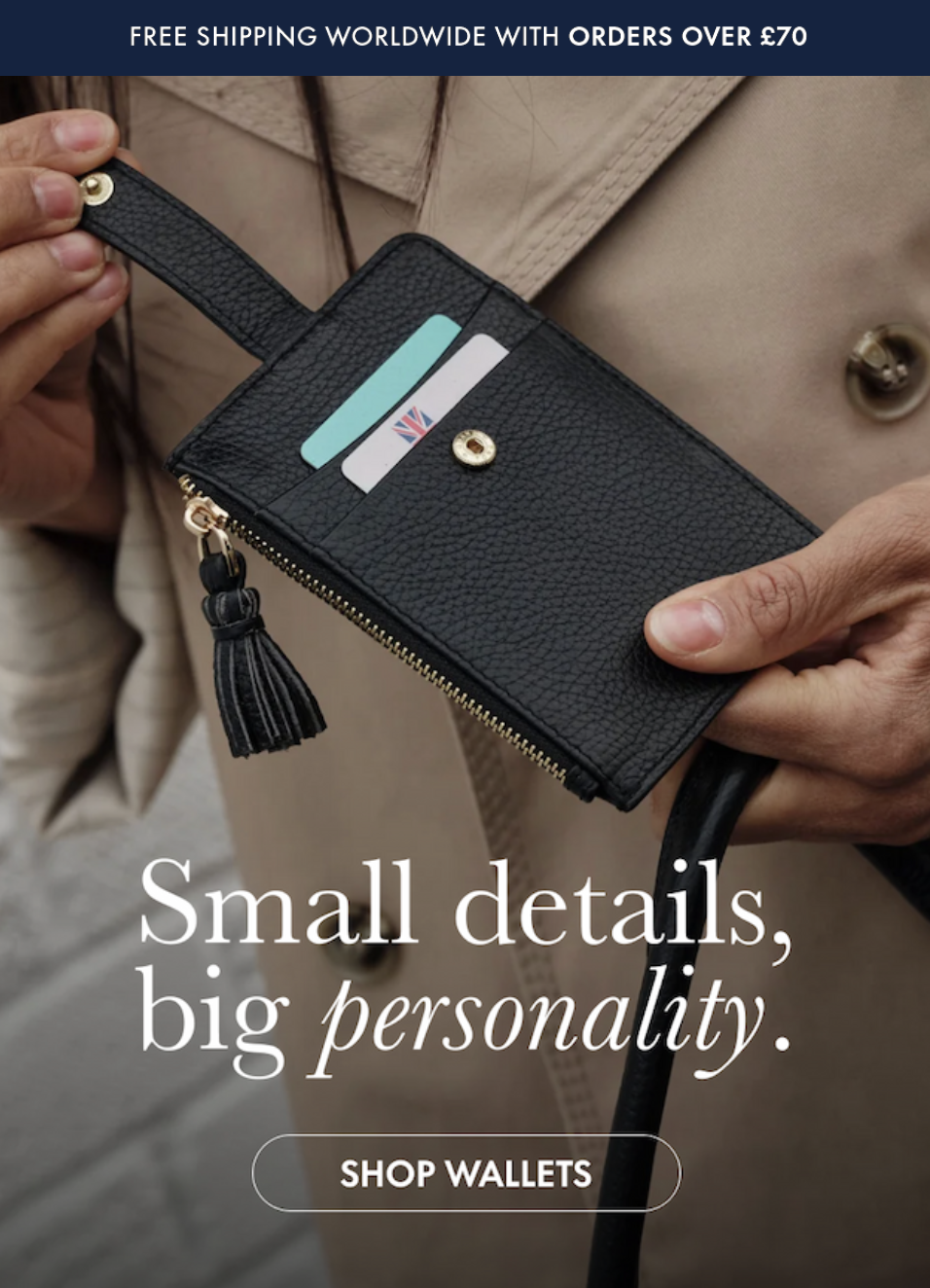
This is a great insight that our team provides to our partners, and can be used across other channels too.
QA before you hit send
Run every item. The failures on this list are the ones customers see.
- Render across clients. Gmail, Apple Mail, Outlook. Outlook is where layouts break.
- Every link, including UTMs. A broken link in a launch campaign can really ruin the launch.
- Merge tags against a profile missing the property. If the first name is empty, the email should not open with “Hi ,”.
- Images off. A large share of recipients see alt text before they see anything else. If the email is one image, it is blank.
- Unsubscribe link present and working.
- Plain text version. Check it reads as intended rather than as stripped HTML.
- Send from the campaign, not from the template preview. Preview renders do not test dynamic content against real profile data.
Reading the results
- Click rate over open rate: Apple Mail Privacy Protection pre-fetches images and registers opens the recipient never made. Opens on an Apple-heavy list describe Apple’s behaviour, not your customers’.
- Revenue per recipient as the primary metric: It normalises for audience size, which makes a send to 8,000 engaged profiles comparable to a send to 60,000.
- Opt-out and complaint rate: A campaign that produced revenue and a spike in complaints did not perform well. Track both as a trend rather than checking them when something breaks.
A few common mistakes that we find in campaign audits
- Campaigns sent to the master list. No segment, no engagement window, and a deliverability problem that builds quietly.
- Exclusion field left empty. Recent purchasers receiving discount codes, and campaigns landing on top of live flows.
- Smart sending turned off and never turned back on. Usually switched off for one urgent send and forgotten.
- Two variables tested at once. Produces a winner that explains nothing.
Frequently asked questions
What is the difference between a campaign and a flow?
A campaign is a one-time send to an audience you choose. A flow is automated and triggers on profile behaviour. Both read the same data, and both need to respect the same suppression rules.
How often should I send campaigns?
Frequency matters less than audience fit. Sending twice a week to a tight engaged segment is healthier than sending weekly to the full list.
What is the best day and time to send?
There is no universal answer, and the published benchmarks describe other people’s lists. Test against your own audience, and use send time optimisation once the account has enough history for it to mean something.
Why did this campaign underperform the last one?
Check the audience before the creative. A different segment, a different size, or a missing exclusion explains more campaign variance than subject lines do.
Can a campaign trigger a flow?
Yes. Clicks and opens are metrics, so a campaign can act as a flow trigger. Useful for post-campaign follow-up sequences, and worth checking so it does not fire unintentionally.
Want a deeper audit?
We run free Klaviyo audits. Thirty minutes, operator to operator, no pitch deck. We look at campaign structure, audience construction, suppression and attribution, and tell you what we would change and in what order.
Jamie Watkins, Director at Underground Ecom